 OfflineStatement
Docparser alternative for bank statements
Docparser is a cloud tool where you build a parser with rules for each document layout, then send it files by upload, email or integration. It shines when the same kinds of documents arrive every day. For turning bank statement PDFs into a spreadsheet now and then, OfflineStatement needs no parser setup and doesn't upload the file.
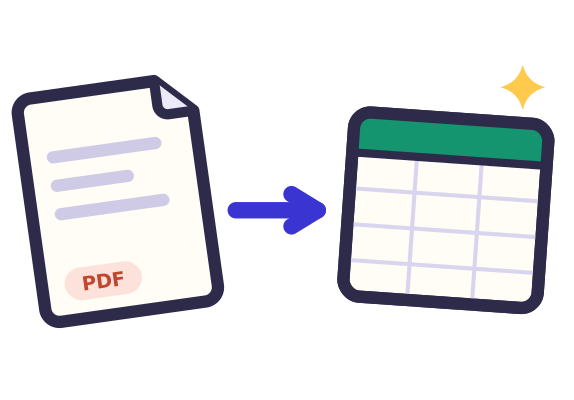 Drop statement PDFs hereor click to choose filesTap to choose a statement PDF
Free: 3 statements a day, no sign-up.
Bank not supported yet? Email the bank name and country to [email protected] and we'll add it. No need to send your statement.
How your statement stays private
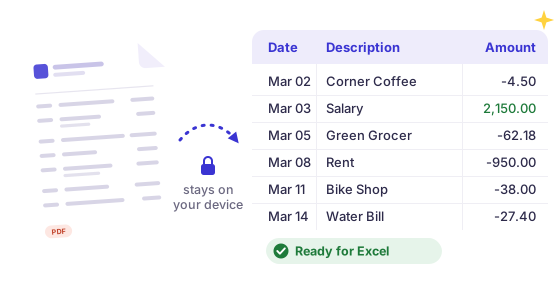
- Your PDFPick a statement from your computer or phone.
- Read in this tabThis page reads it on your device and never sends the file anywhere. Turn off your wifi after the page loads and it still works.
- Your spreadsheetThe rows go straight into a file in your downloads.
Works with most banks
Reads text-based PDF statements with debit/credit or single-amount columns, in US, UK, European, Indian and Indonesian number formats. Password-protected e-statements work too, and the password stays on your device.
Checked, not guessed
Every statement gets a running-balance check: if a row doesn't add up to the printed balance, we highlight it, so nothing goes into your books wrong.
Hours of typing, done in a minute
Free: preview every transaction and download the first 25 as a CSV.
Pro: every transaction, a year of statements in one file, Excel, QuickBooks, Xero and OFX. See pricing
OfflineStatement vs Docparser
Prices checked Oct 2026, from Docparser's own website. Prices and features change, so check their site before you buy.
| OfflineStatement | Docparser | |
|---|---|---|
| Price | Free; Pro $7/month or $59/year | Starter $39/month (100 documents of up to 5 pages), Professional $74/month (250), Business $159/month (1,000); less billed yearly |
| Free tier | One statement at a time, 3 a day: full preview, balance check, CSV of the first 25 transactions | 14-day free trial, no card required |
| Where files are processed | In your browser. The PDF is never uploaded | Cloud: files are uploaded; originals and parsed data are kept 90 days by default (you can change this) |
| Export formats | CSV (free). Pro: Excel .xlsx, QuickBooks CSV, Xero CSV, OFX. No QBO, IIF or QIF | Excel, CSV, JSON, XML; Google Sheets and many integrations |
| Scanned (image) PDFs / OCR | No. Text-based PDFs only | Yes (applied automatically to scanned pages) |
| Batch | Pro: a year of statements into one file, duplicates removed | Yes (upload, email forwarding, API) |
| Balance check | Yes, every row checked against the printed balance | Not published |
| Install | Nothing to install; any modern browser | Web app, account required; you set up a parser per layout |
Pick Docparser if
- The same document types arrive every day and you want them parsed automatically from email or cloud storage.
- You also parse invoices, purchase orders or forms, not just bank statements.
- Your statements are scanned PDFs.
Pick OfflineStatement if
- You don't want statements stored on a third-party server, even for 90 days.
- You don't want to build or tune a parser: drop the PDF and the columns are found for you.
- You want unlimited statements for $7 a month instead of a document allowance.
Try it on your own statement: drop the PDF in the box at the top of this page. The preview and the balance check are free, and nothing is uploaded.
Open the converter See Pro pricing
Sources (checked 28 Oct 2026): Docparser pricing · How long Docparser stores data · Docparser OCR
Other comparisons: DocuClipper alternative · MoneyThumb alternative · Bank Statement Converter alternative · ProperConvert alternative · Nanonets alternative · Tabula alternative
Docparser is a trademark of its owner. OfflineStatement is an independent tool by Tofu Labs and is not affiliated with Docparser.
FAQ
Do I need to set anything up?
No. OfflineStatement finds the date, description, amount and balance columns on its own. If a statement comes out wrong, email us a description of the layout and we'll look at it.
How does Docparser count documents?
One parsing credit is one document of up to 5 pages, per its pricing page. A 12-page statement uses more than one. OfflineStatement Pro has no document or page count.
Is my statement uploaded?
No. The PDF is read by code running in your browser. There is no server that receives your file, and you can disconnect from the internet after the page loads. Pro checks your license about once a day when you're online and keeps working offline in between.
Is it free?
Previewing a statement and downloading a CSV of its first 25 transactions is free. Pro gives you every transaction, batches of statements, Excel .xlsx and QuickBooks, Xero and OFX files.